Search by link
Paste the Reel URL. No need to download the Reel or play it out loud.
Find the song in any Instagram Reel by its link. Paste the Reel URL and get the song name and artist in seconds, free and online.
No link? Upload the video
Paste the Reel URL. No need to download the Reel or play it out loud.
We listen to the sound, not the audio name, so the real song behind “Original audio” comes up.
Get the song name with links to Spotify, Apple Music and YouTube, plus a short preview.
Three taps from Instagram to the song name.
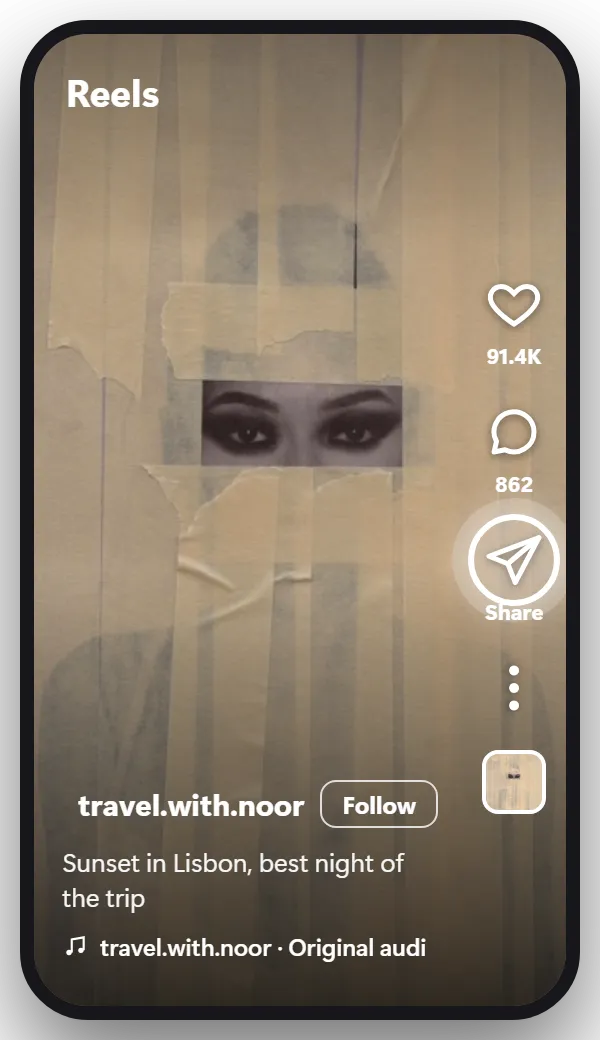
Open the Reel. On the right side, under the heart and the comment bubble, there’s a paper plane icon. Tap it.
On a computer, open the Reel and click the paper plane under it, or copy the address from your browser’s address bar.
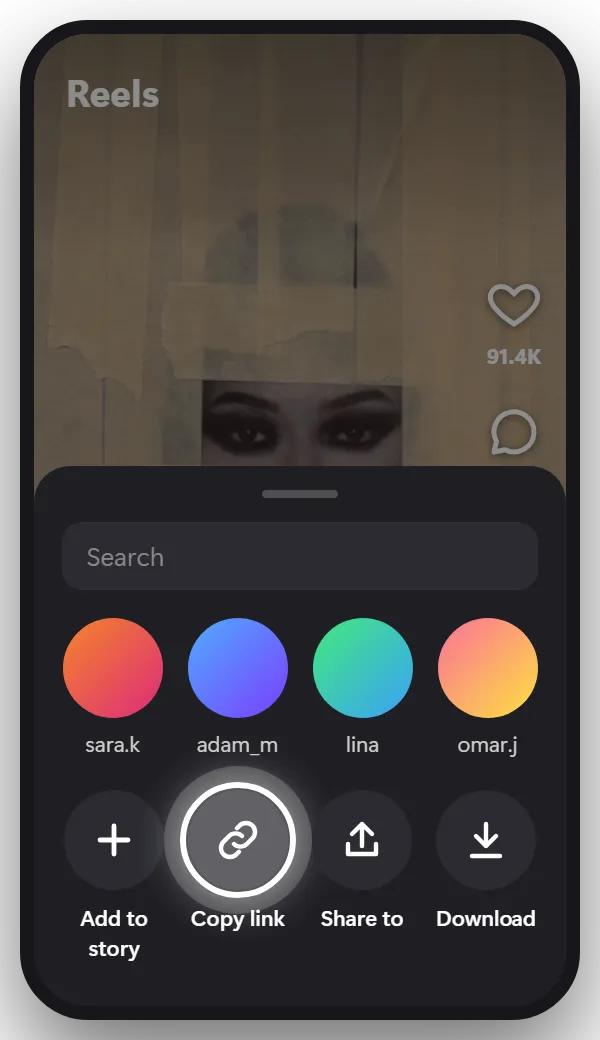
The share menu shows your contacts at the top and a row of options at the bottom. Tap Copy link in that bottom row. You may need to swipe the row to see it.
The link looks like instagram.com/reel/…
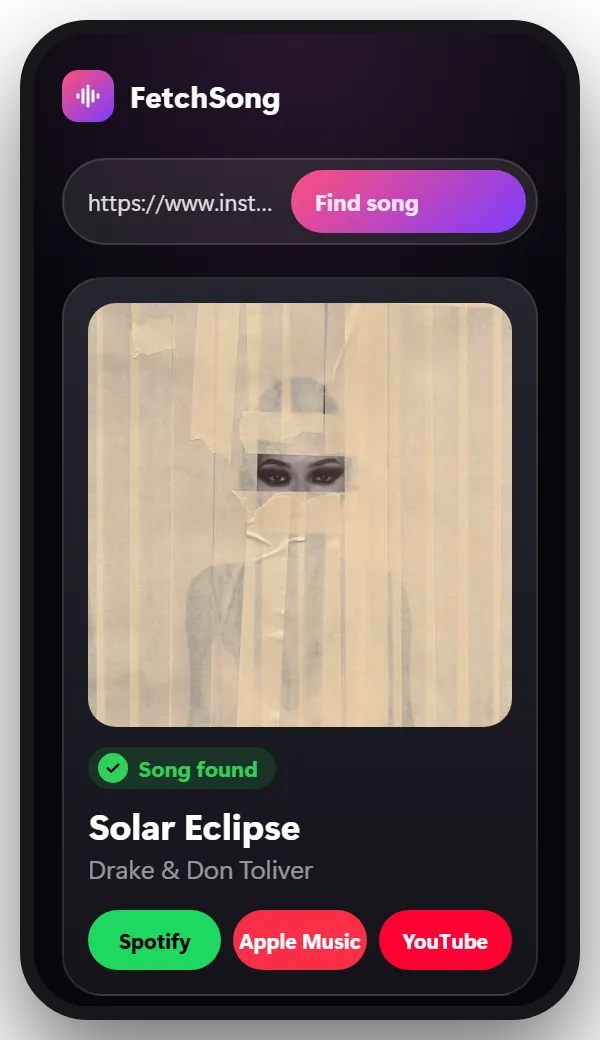
Come back to this page, paste the link in the box at the top and tap Find song. You’ll see the song name, the artist, a short preview and links to Spotify, Apple Music and YouTube.
Tip: Only public Reels work with a link. For a Reel from a private account, save it or record your screen and upload the file.
If the Reel uses a song from Instagram’s music library, its name is in the audio line at the bottom of the Reel. Tap it to open the audio page, then tap Save audio. Instagram keeps it in your Saved folder under Audio, ready to use in your own Reel or Story.
Saving audio doesn’t put the song in your music app. For that, take the title from the audio page, or from the finder above, and open it in Spotify or Apple Music from the result.
When the audio line says “Original audio”, there’s no title to save: the music came with the video. Paste the Reel link at the top of this page to get the song name first.
Which way works depends on the Reel or Story in front of you:
Stories with a music sticker show the song at the top, under the account name. Tap it to see the title and the artist.
Stories without a sticker have no song name and no link, so record a short clip of it:
Stories disappear after 24 hours, so record it while you still can.
Yes. Your first search doesn’t need an account. After that, sign in with Google to get 2 free searches every day.
Yes. It runs in your browser, so there’s nothing to install. Copy the Reel link in Instagram, then paste it here.
Yes. Video posts work the same way as Reels. Copy the link and paste it here.
No. You only need the link to a public Reel.
No. We tell you what the song is and link to it on Spotify, Apple Music and YouTube, where you can listen or save it.
No. We take a short piece of the sound, use it once to find the song and then delete it.
The same steps work almost everywhere.
Find the song from any TikTok video by its link. Paste the TikTok URL and get the song name and artist in seconds, free and online.
Find the song in any YouTube video or Short by its link. Paste the YouTube URL and get the song name and artist in seconds, free and online.
Facebook, Snapchat, X, a screen recording or a video saved on your phone.
Paste the link and find out in seconds.
Paste a link