Search by link
Paste the TikTok URL. No need to download the video or play it out loud.
Find the song from any TikTok video by its link. Paste the TikTok URL and get the song name and artist in seconds, free and online.
No link? Upload the video
Paste the TikTok URL. No need to download the video or play it out loud.
We listen to the audio, not the sound name, so the real song behind an original sound comes up.
Get the song name with links to Spotify, Apple Music and YouTube, plus a short preview.
Three taps from TikTok to the song name.
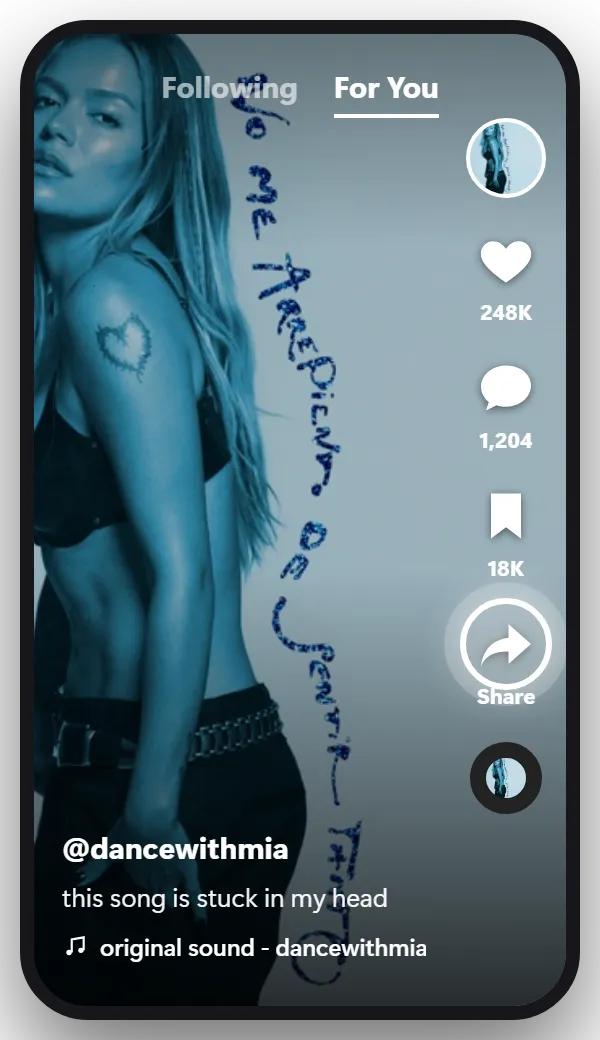
Open the TikTok with the song. On the right side of the video you’ll see a column of buttons: the profile picture, the heart, comments, bookmark and, under them, the Share arrow. Tap it.
On a computer it’s even easier: click in your browser’s address bar and copy the address of the video.
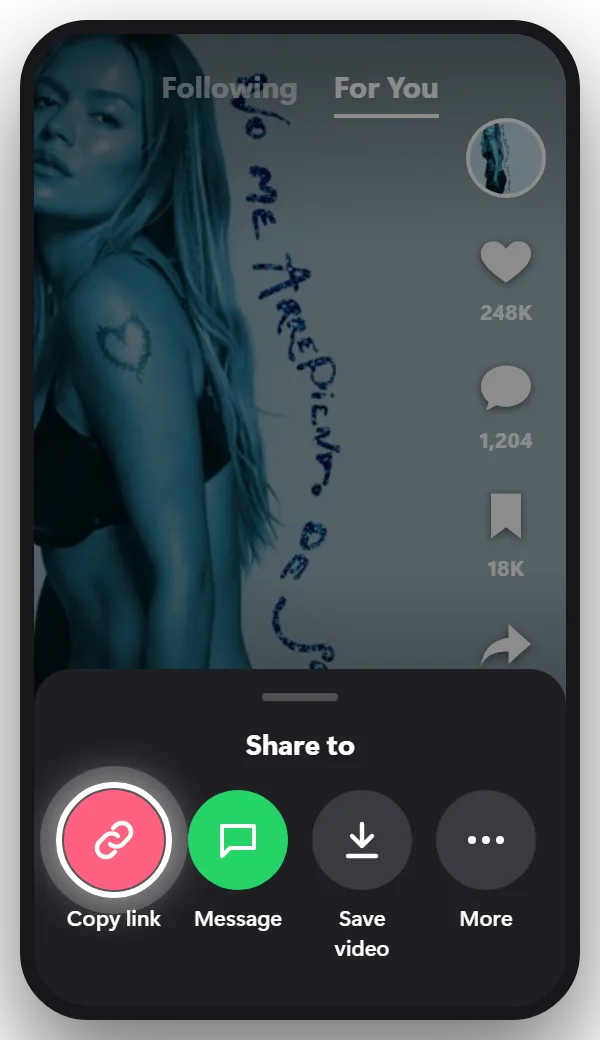
A menu opens at the bottom of the screen. In the row of round icons, tap Copy link. Nothing is posted or sent to anyone, the link is just copied to your phone.
The link looks like vt.tiktok.com/… or tiktok.com/@name/video/…, both work.
Tip: No Copy link in the menu? Some creators turn off sharing. Save the video or record your screen while it plays, then use Upload the video.
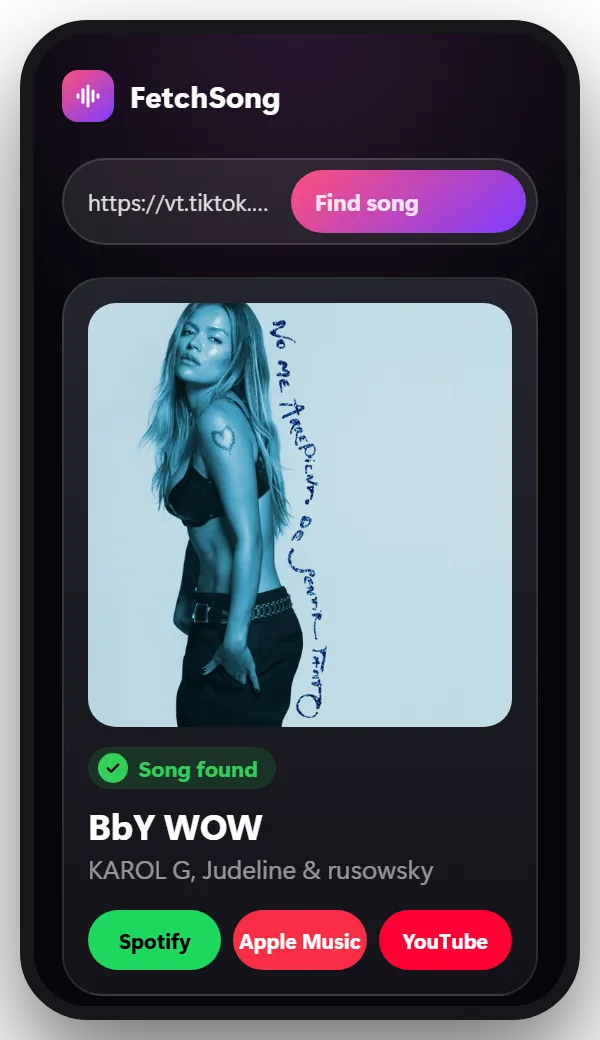
Come back to this page, tap the box at the top, paste the link and tap Find song. After a few seconds you get the song name, the artist, a short preview and links to Spotify, Apple Music and YouTube.
Tip: If the song only starts later in the video, open Options in the finder and set the second where it starts.
The quickest route is TikTok’s own sound page. Tap the spinning record at the bottom right of the video. If the sound is a licensed song, the page shows the title and the artist, and usually an Add song button that saves it to Spotify, Apple Music or Amazon Music in one tap.
If the page says “original sound”, paste the TikTok link at the top of this page instead. The result has a Spotify button that opens the exact track.
Some TikTok songs really aren’t on Spotify, usually for one of these reasons:
Both recognize a song from its sound. The difference is how the sound reaches them.
Shazam listens through the microphone. The TikTok has to play out loud next to another phone, so it doesn’t work with headphones on (except with Music Recognition on an iPhone), and it can’t use a link someone sent you.
A song finder by link gets the sound straight from the TikTok. Nothing has to play, it works with headphones on and on the same phone, and a link from a friend is enough.
For a song playing in a shop or a car, use Shazam or the Listen button in our finder. For a TikTok you’re watching, the link is faster.
Yes. Your first search doesn’t need an account. After that, sign in with Google to get 2 free searches every day.
No. This finder needs the TikTok itself, by link or by video file. For a song you only remember, humming search in the Google app is the better tool.
Yes. A slideshow with music has a link like any video. Copy it and paste it here.
No. The link is enough. Uploading is only needed when the link doesn’t work.
No. We take a short piece of the sound, use it once to find the song and then delete it.
The same steps work almost everywhere.
Find the song in any Instagram Reel by its link. Paste the Reel URL and get the song name and artist in seconds, free and online.
Find the song in any YouTube video or Short by its link. Paste the YouTube URL and get the song name and artist in seconds, free and online.
Facebook, Snapchat, X, a screen recording or a video saved on your phone.
Paste the link and find out in seconds.
Paste a link