Search by URL
Paste a youtube.com, youtu.be or Shorts link. Nothing to download.
Find the song in any YouTube video or Short by its link. Paste the YouTube URL and get the song name and artist in seconds, free and online.
No link? Upload the video
Paste a youtube.com, youtu.be or Shorts link. Nothing to download.
Works with any public YouTube video, on your phone or your computer.
Music under talking can be found as well: voices are turned down before the search.
Three taps from YouTube to the song name.
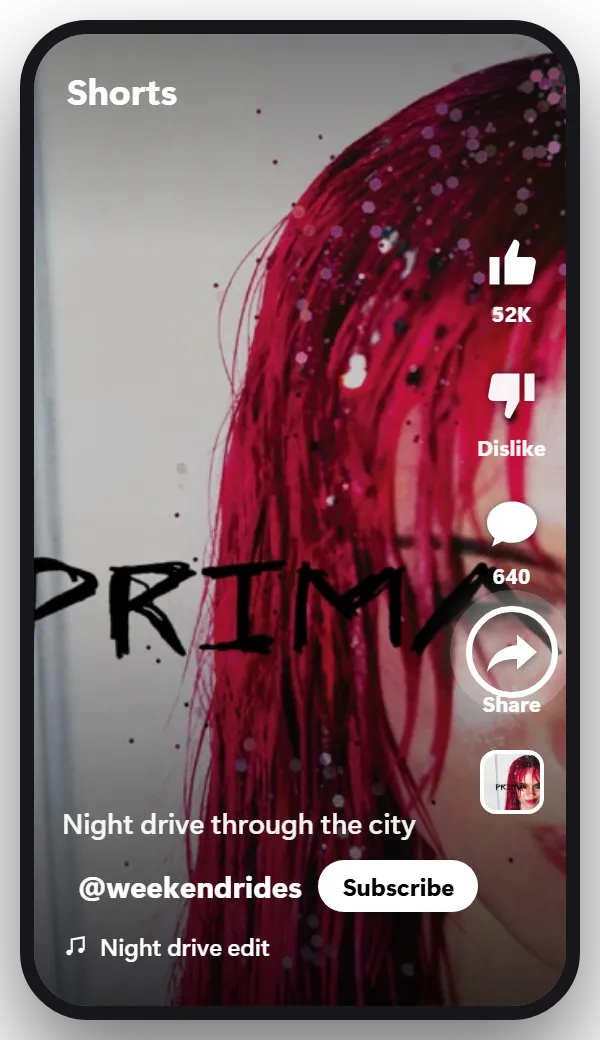
On a Short, Share is in the column of buttons on the right side, under the comments. On a regular video, it’s in the row of buttons right under the player.
On a computer, click Share under the video, or copy the address from the address bar.
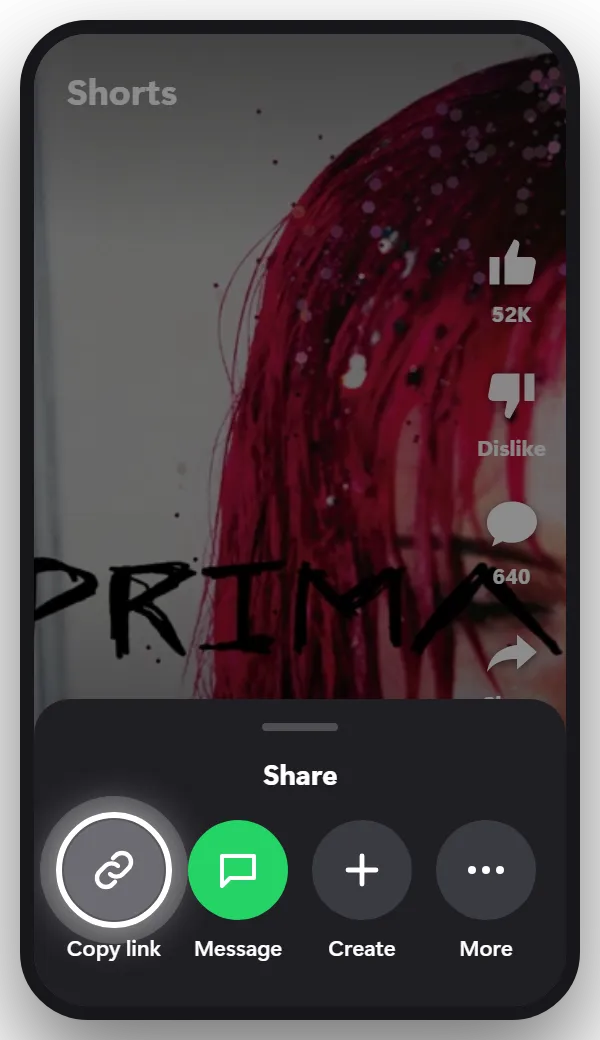
Copy link is the first option in the share menu. The link starts with youtube.com or youtu.be, both work.
Tip: Copy the link of the video itself. Links to a channel or a playlist can’t be searched.
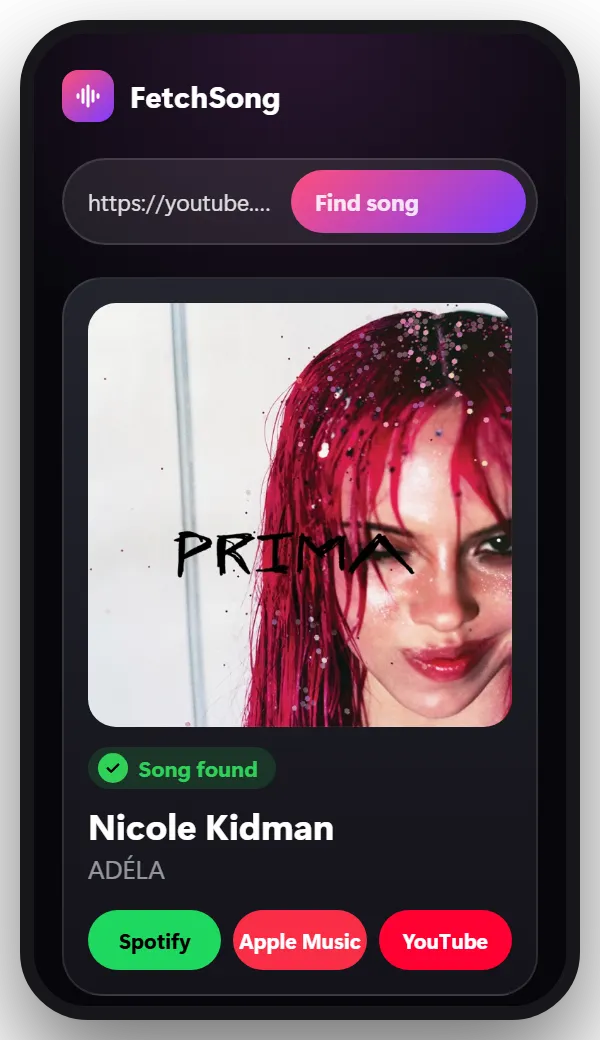
Come back to this page, paste the link in the box at the top and tap Find song. You’ll see the song name, the artist, a short preview and links to Spotify, Apple Music and YouTube.
Tip: Song plays after the first two minutes? Record that moment on your screen and upload it instead.
When you paste a link, the finder listens to the first two minutes of the video. That covers most Shorts, music videos and intros.
For a song that plays later, for example at 12:40 in a vlog, there are two ways:
Before you search, check the description and the comments. Creators often list the songs they used with timestamps, and YouTube adds a Music section when it recognizes a song.
Every Short has a sound line at the bottom, next to a music note. Tap it: when the Short uses a song from YouTube’s library, the sound page shows the title and the artist, with other Shorts that use it.
If it shows the creator’s name instead, the music came with the video. Tap Share, then Copy link, and paste the Short’s link at the top of this page.
Many Shorts are reposted TikToks and Reels, often sped up or with a filter. If a Short doesn’t match, look for the same clip on TikTok: its sound page often names the song, see the TikTok song finder.
Yes. Your first search doesn’t need an account. After that, sign in with Google to get 2 free searches every day.
Yes. Paste the Shorts link the same way as a normal video link.
Yes. Record your screen for 15 seconds while the song plays and upload the recording. With a link, the finder listens to the first two minutes.
Yes. It runs in your browser, so there’s nothing to install. Copy the link in the YouTube app, then paste it here.
No. We tell you what the song is and link to it on Spotify, Apple Music and YouTube, where you can listen or save it.
No. We take a short piece of the sound, use it once to find the song and then delete it.
The same steps work almost everywhere.
Find the song from any TikTok video by its link. Paste the TikTok URL and get the song name and artist in seconds, free and online.
Find the song in any Instagram Reel by its link. Paste the Reel URL and get the song name and artist in seconds, free and online.
Facebook, Snapchat, X, a screen recording or a video saved on your phone.
Paste the link and find out in seconds.
Paste a link