Any video file
MP4, MOV, WEBM, MP3, M4A and WAV, even big files from your phone.
Upload a video or audio file, like an MP4, MOV or screen recording, and get the song name and artist in seconds.
Choose a video or audio fileMP4, MOV, WEBM, MP3, M4A, WAVHave a link instead? Paste it here
Free · No app · No sign-up for your first search
MP4, MOV, WEBM, MP3, M4A and WAV, even big files from your phone.
Only a short piece of the sound is used, then deleted. Your video stays on your device.
Voices are turned down before the search, and the clearest part of the clip is used.
Three steps from a saved video to the song name.
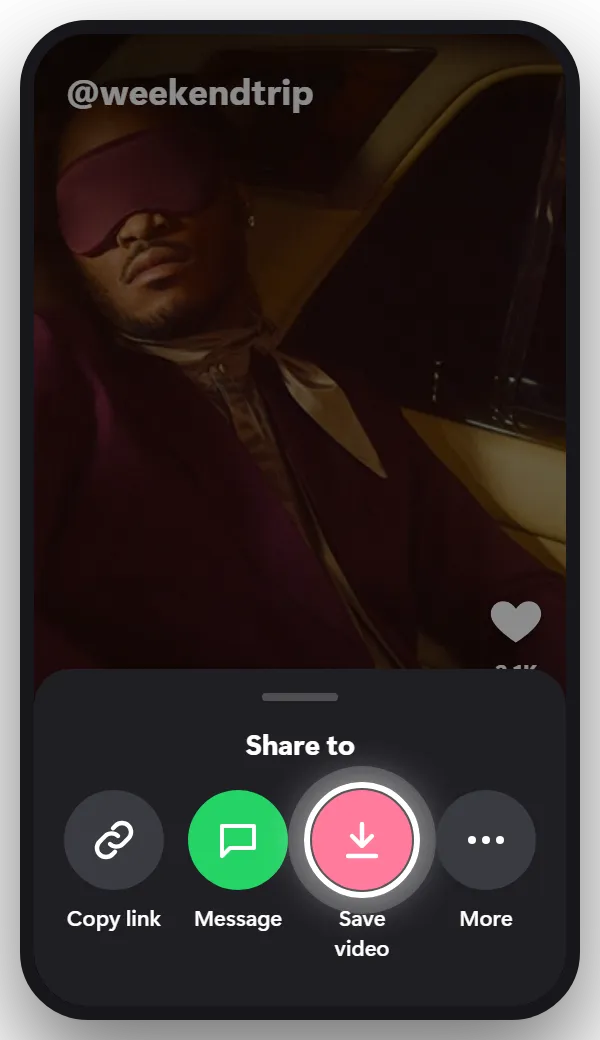
Save the video to your phone or computer. If the app doesn’t let you save it, record your screen while it plays.
Tip: A clip with 10 to 15 seconds of music is enough.
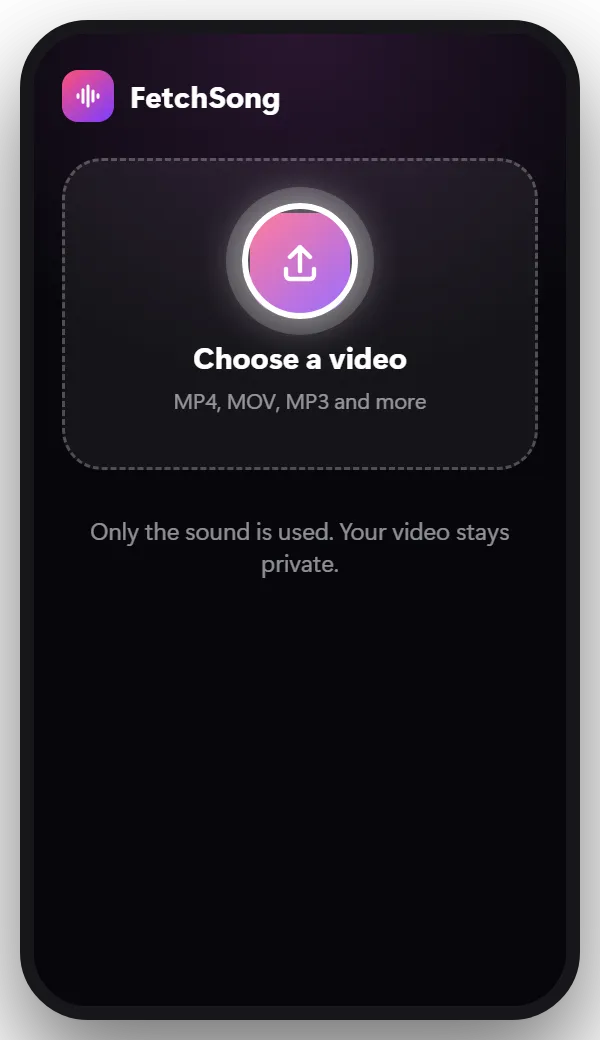
Tap the upload box at the top of this page and pick the video from your gallery or files. Only the sound is read, so big files are fine.
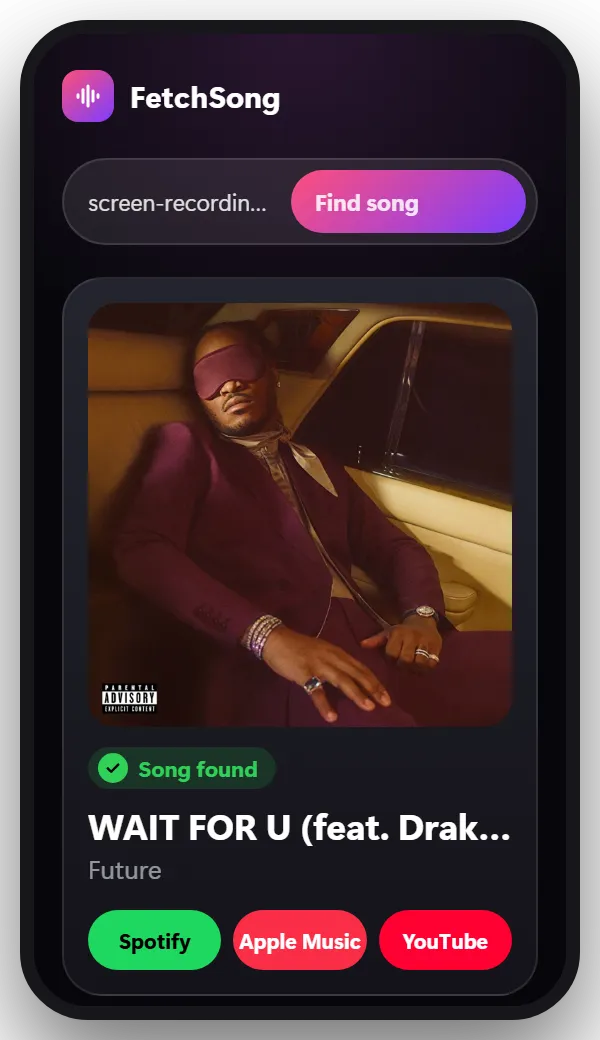
In a few seconds you get the song name, the artist, a short preview and links to Spotify, Apple Music and YouTube.
A screen recording is the easiest way to get the song from anything you can play on your phone: a Story, a live video, a game, a video call.
On iPhone, open Control Center and tap Screen Recording. On Android, open Quick Settings and tap Screen record. Play the part with the music, stop the recording, then upload it here.
Can you Shazam a screen recording? Not directly, because Shazam has to hear the song out loud. Uploading the recording here does the same job without playing anything.
Video: MP4, MOV, WEBM and most phone videos. Audio: MP3, M4A, WAV, OGG and AAC, including voice memos.
Long videos are fine: the finder looks for the parts with the clearest music. If the song only plays late in a long file, trim the video to that part first, or set the start second under Options in the finder.
Yes. There’s no app to install. Your first search doesn’t need an account. After that, sign in with Google to get 2 free searches every day.
Yes. Upload the MP4 and the song is found from its sound. MOV, WEBM and audio files work too.
Record your screen from Control Center while the music plays, stop it, then upload the recording on this page.
No. A short audio sample is made on your device and only that is sent. It’s used once to find the song, then deleted.
Try a part where the music is loud and nobody talks over it. Songs that were never released, and heavy remixes, may not be in any music catalog.
The song is somewhere else? There’s a finder for that too.
Choose the file and find out in seconds.
Choose a file